


Key takeaway: The most effective technology agreements aren’t about strict limits—they’re about collaborative decision-making that builds your teen’s self-regulation skills while maintaining family connection.
As your child moves into their teenage years, the rules that worked when they were younger stop being effective. Trying to control every minute of screen time becomes exhausting for you and frustrating for them. But research shows there’s a better approach: involving your teen in creating the rules they’ll follow.
The evidence is compelling. Studies show that teen involvement in rule creation increases both buy-in and compliance. When parents use what researchers call “autonomy-supportive restrictive parenting”—setting clear expectations while explaining the reasoning behind them—teens develop more intentional media habits. Even better, this collaborative approach strengthens family relationships, and family cohesion predicts positive outcomes more strongly than any specific screen time rule.
Why Context Matters More Than Time
Before diving into creating an agreement, it’s important to understand what recent research tells us: the type and context of screen use affects developmental outcomes more than duration alone.
Not all screen time is created equal. There’s a clear hierarchy:
High-value use includes co-viewing content with discussion, creative production (coding, video editing, design), video calls with family and friends, purposeful homework, and skill-building courses.
Moderate-value use includes messaging known friends, collaborative gaming with peers, and age-appropriate entertainment that parents are aware of.
Low-value use includes mindless scrolling, repetitive games without learning progression, passive video watching, and background television.
Harmful use includes age-inappropriate content, exposure to cyberbullying, and interactions with strangers online.
This distinction matters because it shifts the conversation from “how much time?” to “what kind of use?” Your agreement should recognise this difference—30 minutes of creative coding is fundamentally different from 30 minutes of mindless scrolling.
The Five M’s Framework: Your Organizing Principle

Research on successful digital parenting points to five key elements, known as the Five M’s:
Model: Parents demonstrate healthy tech habits themselves. If you ask your teen to put their phone away at dinner, yours needs to be away too. This isn’t about perfection—it’s about showing that everyone in the family follows the same principles.
Mentor: Guide decision-making rather than dictate. Instead of saying “you can’t watch that,” ask “what do you think about the way that video portrays women?” Building critical thinking matters more than controlling every choice.
Monitor: Transparent oversight, not covert surveillance. Teens should know what you can see and why you’re checking. Research shows that transparent monitoring supports safety, while hidden monitoring undermines trust and actually reduces the information teens share with you.
Mastery: Build critical digital literacy skills. Help your teen understand how algorithms work, how apps are designed to be addictive, and how to recognise manipulation online. These skills protect them far better than rules ever will.
Meaning: Align technology use with personal values. Ask your teen what matters to them—friendships, creativity, learning, health—and help them evaluate whether their tech use supports those values.
Creating the Agreement Together
The conversation matters as much as the document itself. Here’s how to approach it:
Opening the Discussion
Frame this as supporting their independence, not controlling them: “Now that you’re getting older, I want us to work together on an agreement that helps you build the self-management skills you’ll need. This will change as you show responsibility—the more trust you build, the more independence you’ll earn.”
Questions to Explore Together
Ask genuine questions and listen to the answers:
- What do you enjoy most about using your devices?
- How do you feel after spending a lot of time on social media? On creative projects?
- What makes it hard to stop using technology when you need to?
- If you could design the perfect balance, what would it look like?
Differentiating Screen Time Types
Work together to categorise activities. For example, you might agree that:
- Constructive use (doesn’t count toward limits): homework, creative projects, video calling family/friends, learning platforms
- Social connection (moderate limits): messaging friends, appropriate gaming with peers
- Entertainment (clear limits): social media scrolling, video watching, solo gaming
Building in Outdoor Activity
Rather than just limiting screen time, create positive requirements. Research shows children who start using computers before age 7 with supervision demonstrate higher digital competence by age 15—but only when balanced with physical activity and face-to-face interaction. Consider requirements like “30 minutes outdoors before entertainment screen time” or “weekend screen time must be balanced with outdoor activities.”
Graduated Consequences
Consequences should be clear, fair, and escalating:
- First time: Reminder and conversation about what happened
- Second time: Temporary reduction in screen time or privileges
- Continued issues: More significant consequences
Include a “reset clause”—after a certain period without violations, consequences reset. This gives everyone a fresh start and recognises growth.
Adjusting for Age and Stage
For 12-13 year olds (guided access phase):
- Parents retain passwords and regular access
- Clearer boundaries and more structured check-ins
- Age-gated social media access
- Device charging outside bedroom
- Weekly or fortnightly reviews
For 14-15 year olds (supported independence phase):
- Self-monitoring using built-in screen time tracking
- Targets rather than strict limits
- Privacy evolving (teen manages passwords, parents have documented access)
- Less frequent check-ins (fortnightly or monthly)
- Emphasis on earning independence through demonstrated responsibility
Making It Stick
The agreement should be reviewed regularly—every few months initially, then as needed. Either party can request a review conversation. Use reviews to discuss what’s working, what’s challenging, whether changes might help, and whether more independence has been earned.
Make sure both parties sign the agreement. Parents should commit to specific behaviours too—modelling healthy use, listening without judgment, being fair and consistent, and recognising that mistakes are learning opportunities.
Getting Started
The best time to create a technology agreement is before problems arise. If you’re already in conflict over screen time, start with a conversation to clear the air: acknowledge everyone’s frustrations, commit to finding a better approach together, and set a time to work on the agreement when emotions aren’t running high.
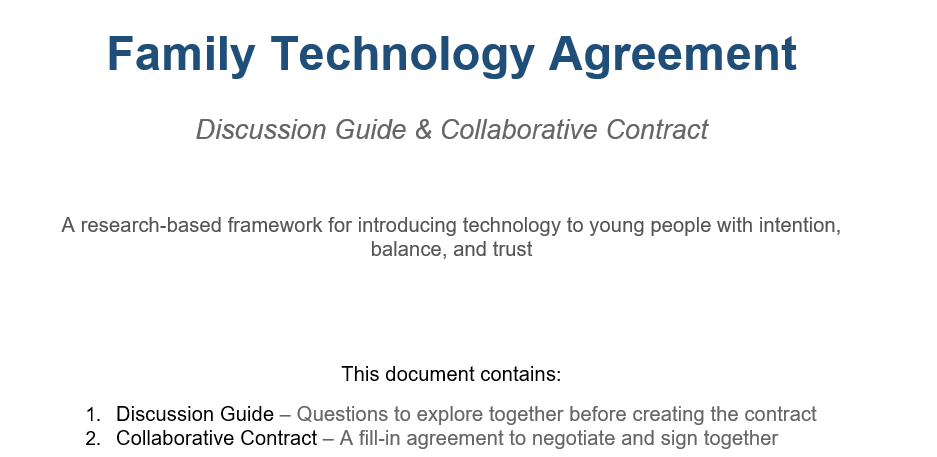
We’ve created two downloadable family technology agreements—one for ages 12-13 and one for ages 14-15—complete with discussion guides and fill-in contracts you can negotiate together. These reflect the latest research on developmental stages and digital parenting.
The goal isn’t a perfect agreement or perfect compliance. The goal is teaching your teen to make thoughtful decisions about technology—a skill they’ll need for life.
For Parents Who Are Concerned About Explicit Content
If you’re worried about your teen’s exposure to explicit content or intimate images, you’re not alone. Australian data shows 54% of teens had seen pornography by age 13, and nearly 1 in 3 young people aged 14-17 had some experience with sexting.
It’s crucial to know that under Australian law, sexting involving anyone under 18 is considered child pornography and treated as a crime—even if the image is of yourself and sent willingly. Some states have decriminalised consensual sexting between similar-aged teens, but federal law still applies.
The most important thing you can do is create a safe space for disclosure. Your teen needs to know they can tell you if they receive unwanted images, if they’re being pressured, or if they’ve made a mistake—and that your response will be support, not punishment.
Resources that can help:
- eSafety Commissioner (esafety.gov.au) can help get images removed
- Kids Helpline: 1800 55 1800
- Youth Law Australia (yla.org.au) for state-specific legal information
The contracts we’ve developed include age-appropriate sections on explicit content and intimate images, with emphasis on safety, legal awareness, and creating pathways for teens to seek help without fear.
Frequently Asked Questions
How do I enforce limits when my teen has a phone I can’t physically take away?
Focus on natural consequences rather than physical control. If agreed limits aren’t followed, the consequence might be losing the privilege of having the phone in their room, or reducing the data plan. The key is that consequences were agreed upon together beforehand.
What if my teen says all their friends have fewer restrictions?
Ask them to be specific about what their friends can do that they can’t. Sometimes this is true, sometimes it’s perception. Either way, you can explain your reasoning and offer to revisit the agreement if they can demonstrate responsibility in other areas first.
Should I monitor my teen’s messages and social media?
Research supports transparent monitoring over covert surveillance. Your teen should know what you can see and why you’re checking. The goal is safety, not catching them out. Regular conversations where your teen voluntarily shares information are more effective than secret monitoring.
How much screen time is too much for a 14-year-old?
There’s no magic number because context matters more than duration. Research shows that teenagers’ focus breaks every 90 seconds on average due to digital interruption—which matters more for learning than total time. Focus on ensuring balance: adequate sleep, physical activity, face-to-face socialising, and family connection. If those are suffering, screen time needs adjusting.
When should I give my teen full password privacy?
This should be earned through demonstrated responsibility, typically around 15-16. The transition might look like: you have all passwords → you have passwords but teen knows you have access → you have documented access for emergencies → full password privacy. Each step is earned by showing good judgment over time.
Summary
Creating an effective family technology agreement isn’t about control—it’s about collaboration. The research is clear: involving your teen in rule creation, explaining your reasoning, maintaining family warmth, and focusing on the quality of screen time rather than just quantity leads to better outcomes.
Use the Five M’s framework—Model, Mentor, Monitor, Mastery, and Meaning—to guide your approach. Differentiate between high-value constructive use and low-value passive consumption. Build in positive requirements like outdoor activity rather than just limits. Create graduated consequences with reset clauses. And adjust the agreement as your teen demonstrates responsibility.
The goal isn’t a perfect system. The goal is teaching your teen to make thoughtful decisions about technology—a skill they’ll carry into adulthood.
Ready to get started? Download our research-based family technology agreements and start the conversation with your teen today.
Rethink Learning provides evidence-based tutoring support for HSC and NAPLAN students in Newcastle. Our approach emphasises building independent learning skills, not just content knowledge. Contact us to learn how we can support your child’s educational journey.
 RETHINK LEARNING
Leave a comment